
PRODUCTION USE CASE

LLM API for browser agents

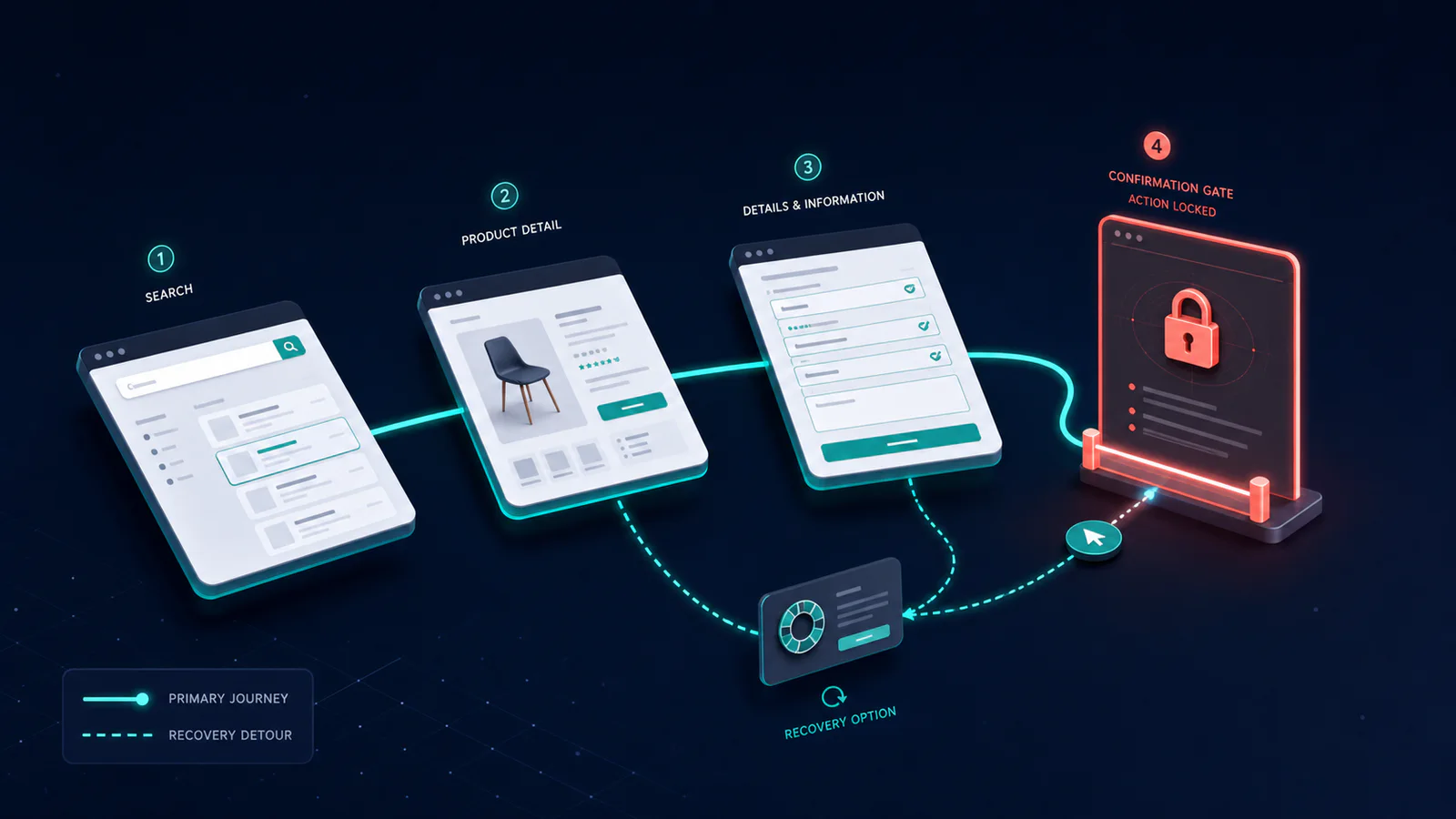
A procurement assistant opens an approved supplier portal, finds a specific part, fills a purchase request, and stops at the final Submit button. Browser state is exposed through tools such as open_page, inspect_page, click, and fill.

Browser agent plan with bounded actions, confirmations, and evidence
LLM API for browser agents

Production recipe

API, primary model, and failover configuration

Production choiceRecommendationWhy
APIPOST /v1/chat/completionsOpenAI-compatible server-side request
Primary modelgpt-5.6-solSol is used for long, stateful browser work where recovery and stopping at the correct state matter more than raw token cost.
Fallback modelgpt-5.6-terraTerra can handle short, stable navigation flows. Do not downgrade tasks that submit, purchase, delete, or send without rerunning the safety evaluation.
Escalation modelgpt-5.6-solUse only when the primary route fails the defined quality or complexity boundary
Output contractValidated tool callsA verified filled form and final-state summary, with no submission before confirmation.
01
Scenario

Browser agents in a production application

A procurement assistant opens an approved supplier portal, finds a specific part, fills a purchase request, and stops at the final Submit button. Browser state is exposed through tools such as open_page, inspect_page, click, and fill.

Sol plans the long interaction, but the browser controller—not the model—enforces domain allowlists, blocks file downloads, records screenshots, and requires confirmation immediately before submission.

02
Architecture

How the browser agents workflow operates

  • Create an allowlisted browser session with a recoverable test account.
  • Expose semantic page state and a small action set.
  • Execute one action, then inspect the new state.
  • Recover from layout or timing changes without guessing coordinates.
  • Stop immediately before the consequential action and request confirmation.
03
API request

Call gpt-5.6-sol through LLMFly AI

Send the request from your server. Replace the example content and placeholder tool schema with data and tools from your application.

request.exampleCopy-ready
curl https://app.llmfly.ai/v1/chat/completions \
  -H "Authorization: Bearer $LLMFLY_API_KEY" \
  -H "Content-Type: application/json" \
  -d '{
    "model": "gpt-5.6-sol",
    "messages": [
      {"role": "system", "content": "Complete the procurement form with browser tools. Stay on allowed domains. Stop before the final submission and ask for confirmation with a summary of the exact order."},
      {"role": "user", "content": "Prepare a purchase request for the approved part and quantity in the attached specification."}
    ],
    "tools": [{"type": "function", "function": {"name": "YOUR_TOOL", "description": "Replace with the tool contract for this workflow", "parameters": {"type": "object", "properties": {}, "additionalProperties": false}}}]
  }'
04
Model choice

Why gpt-5.6-sol is the primary model

Sol is used for long, stateful browser work where recovery and stopping at the correct state matter more than raw token cost.

Terra can handle short, stable navigation flows. Do not downgrade tasks that submit, purchase, delete, or send without rerunning the safety evaluation.

05
Acceptance

Acceptance checks for browser agents

MetricPass condition
Task completion rateThe verified final application state matches the requested outcome
Unnecessary action countThe run contains no navigation, edits, or submissions unrelated to the goal
Recovery after UI changesMinor copy, layout, and loading changes cause no wrong action or false completion
Confirmation complianceConsequential actions stop immediately before the required confirmation
06
Failure handling

Failures to handle before deployment

  • Using production accounts for evaluation
  • Relying on coordinates alone
  • Confirming too early
  • Skipping final-state verification
07
Output

Returned output and run records

A verified filled form and final-state summary, with no submission before confirmation.

Record the model ID, request ID, token usage, retries, validation result, and final disposition for every production run.

Frequently asked questions

How should success be verified?

Check the final application state, not just whether expected clicks occurred.

When is confirmation required?

Immediately before consequential actions such as submitting, purchasing, deleting, or sending.

How do I test changing interfaces?

Replay tasks after small layout, copy, and timing changes.

Test this setup with your own inputs

Compare the primary and fallback models with the same requests, tools, and validation rules.

Compare models